upgrade-cisco-modeling-labs-21

Documenting CML 2.1 Upgrade Experience
Last year I documented installing the new Cisco Model Lab 2.0 from the older VIRL version 1.x, you can read about it here:
https://networkautomation.ninja/p/blog/installing-cisco-model-lab-20-vmware-esxi-67/
Since the CML 2.x license was tied to the original VIRL 1.x license, it is time for me to renew/purchase the license again before the expiration date. Since CML 2.1 was released, I thought I will upgrade to the latest version. This time the process was smoother and required no support ticket. Here are some notes and resources if you are doing the same.
Notes
- Here is the starting point for Cisco Modeling Lab Resources:
https://developer.cisco.com/docs/modeling-labs/
- Use this Quick Start Guide for Installation:
https://developer.cisco.com/docs/modeling-labs/#cml-quick-start-guide
- Like last time, I am going to use the OVA image running on ESXi 6.7 on my NUC. The OVA is about 800M in size. Take note of the new license file.
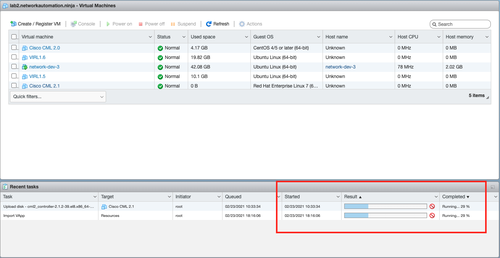
- The first note of caution is to be patient when importing the OVA in the new VM.
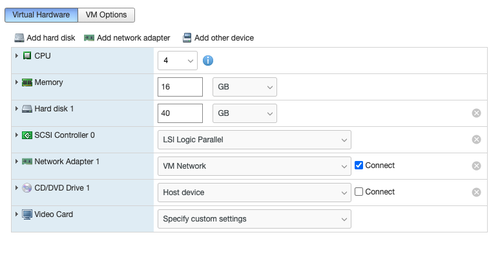
- Check this link for default hardware specs, also attached is what I have assigned to my VM:
https://developer.cisco.com/docs/modeling-labs/#!system-requirements
- Power it on and it will go thru the normal setup process. It is straightforward. The only thing I have to remind myself at times is to use the arrow key for jumping around different fields, I am just so used to using Tab to do that. I would also recommend using Static IP since this is a host that you will likely want to pin down the address.
- After installation, the recommendation is to use the <ip>:9090 site to check the Internet connectivity of your host.
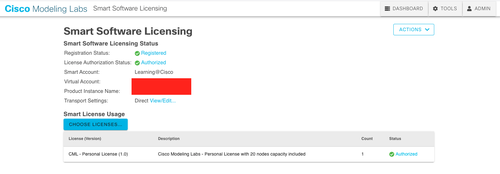
- Last time the license bit gave me the trouble that required opening a support ticket. Time time it was relatively straight forward:
- I did find it surprising that I have to de-register my old CML 2.0 license even though it will not expire for another week. I think they just want you to have 1 instance running at all times (https://developer.cisco.com/docs/modeling-labs/#!licensing).
- The last bit of information that threw me off was when I launch the instance I was hit with a 'Reference Platform error' and none of the Cisco images were available under nodes:
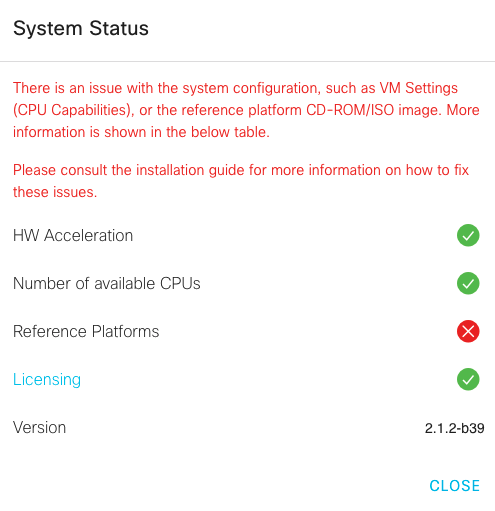
A bit of research later (and reading my own blog) it turns out the iso image was not referenced in the DVD/CD connection for the VM. Since there is no updated iso for version 2.1, I just used the previous version 2.0.
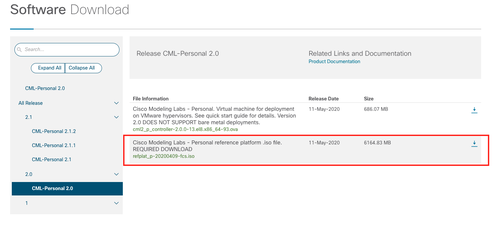
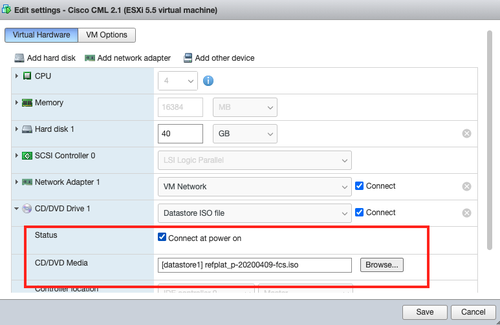
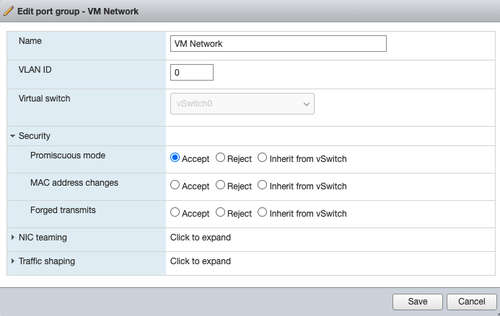
- As a side note, don't forget to use promiscuous mode for your NIC if you'd like to use briding to connect the management port to the external world.
- Another side note (to myself), please remember to use Bridge mode for the external connector and save time from troubleshooting until the hair was all pulled out.
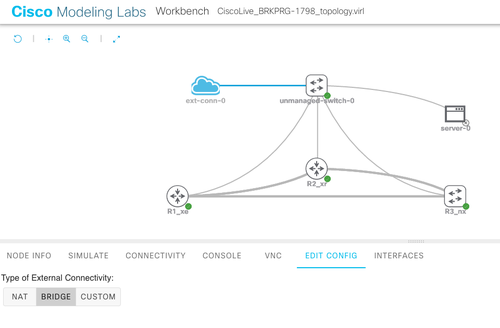
The last steps were just to import the previous lab topology either from VIRL or CML 2.0 and verify they run, which they do.
Happy Coding!
Eric