installing-cisco-model-lab-20-vmware-esxi-67

Introduction: My notes on installing Cisco CML2.0 on ESXi 6.7
I have used Cisco Virtual Internet Routing Lab (VIRL) pretty extensively as a sandbox lab in my books and classes. I like the fact that it contains all the Cisco images as a bundle, from legacy IOSv to the newer NX-OSv, as well as IOS-XRv, IOS-XE on CSR100v, ASAv, as well as Linux hosts. I believe it is well worth the USD $199 /yr fee for what it offers, and if you are short on fund, Cisco DevNet (https://developer.cisco.com/) also offers free virtual labs based on VIRL (or now the new CML2).
The next iteration of VIRL, re-named to Cisco Modeling Lab 2.0, was officially released a few weeks ago, here is some information about the product:
https://learningnetworkstore.cisco.com/cisco-modeling-labs-personal/cisco-cml-personal
I have been hearing about it from various sources for a while since Cisco Live 2019 and finally found some time this week to give it a shot. There are many reasons for the upgrade, but the main reasons for me are:
- CML 2.0 allows for easier external connection. This makes communication with other standalone tools such as Cacti, Ntop, and Elastic Stack easier, especially if the nodes need to use links outside of the management interface or if the Linux host needs to grab packages from interfaces outside of the default link.
- Moving away from OpenStack for lower overhead. Nothing against OpenStack, but it is a bit of an overkill for labs and seems to drains the resources. With 16GB of RAM, I can barely launch more than a few CSR1000v devices, and IOSv or NX-OS devices generally start to become unstable between 9 - 11 nodes (like bouncing BGP peers).
- API-First and Python client library (well, enough said).
- Container-ready with CoreOS. I have some projects that can benefit from running in a container within the lab instead of a whole VM.
Here is a summary of the VIRL 1.0 to CML 2.0 changes:
https://developer.cisco.com/docs/modeling-labs/#!cisco-modeling-labs-2-0-summary-of-cml-2-0-changes
I plan to install it on my small NUC host running VMWare ESXi 6.7 Hypervisor. I mainly followed the Quick Start Guide:
https://developer.cisco.com/docs/modeling-labs/#!cml-quick-start-guide
David Bombal also has a few detailed installation videos on YouTube:
https://www.youtube.com/watch?v=H1N1x9kt-pY (VMWare Workstation)
https://www.youtube.com/watch?v=sW5-jHLygFg (Longer version covering BIOS Intel VT-x, Kali Linux, etc)
As far as I can see, I don't see other articles covering ESXi, even though it is listed as a supported Hypervisor platform on the product page. So here are some of my documented steps, along with a few mistakes I made that can perhaps help others.
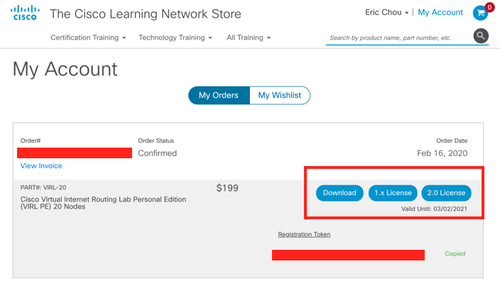
Step 1. Download the necessary files and license. If you have purchased VIRL 1.0, the 2.0 license is already created for you:
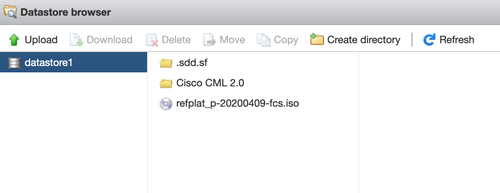
Step 1. The first thing you want to do is probably load the iso file to the datastore so you can attach it later:
Step 2. Creating the VM and choosing the OVA file is pretty straight forward:
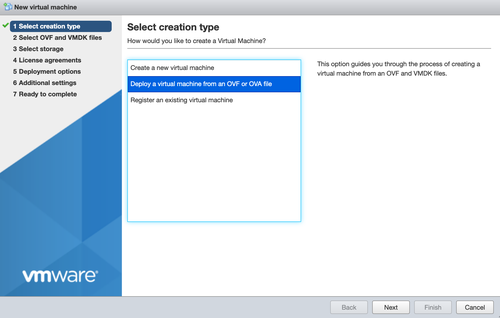
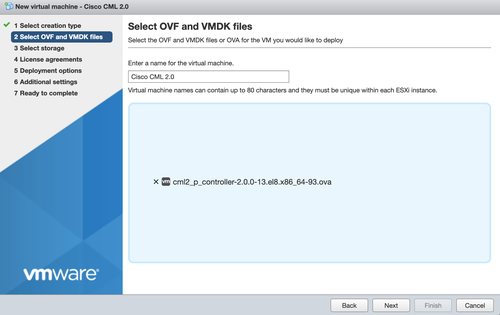
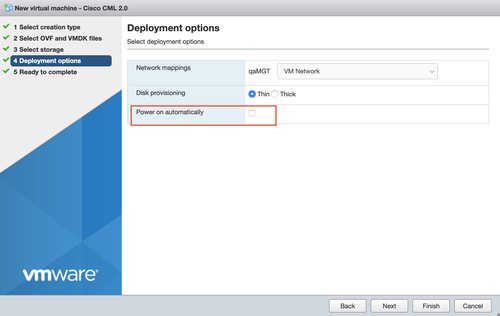
Step 3. Make sure you uncheck the power on option, we need to do more work before we can boot it:
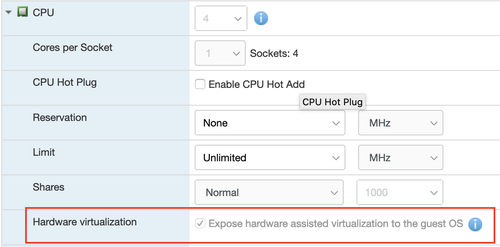
Step 4. Make sure the CPU hardware virtualization option is checked:
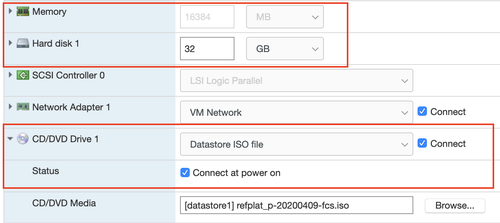
Step 5. Increase the RAM and HD size, attach the ISO image:
So far so good, below are some of the extra notes:
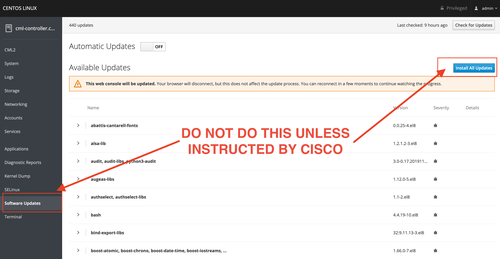
Mistake 1. DO NOT update the software. After installation, I went to port 9090 of the host and access the CentOS Linux management interface and updated the software. I was told later on that was why my registration was stuck in 'registering' status:
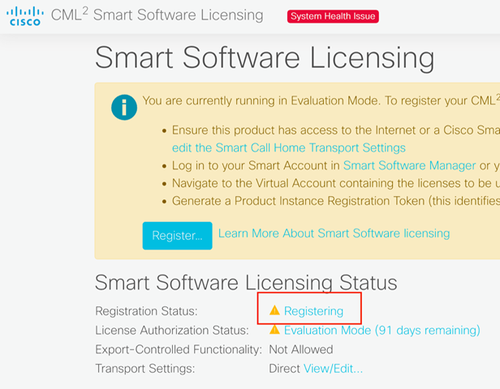
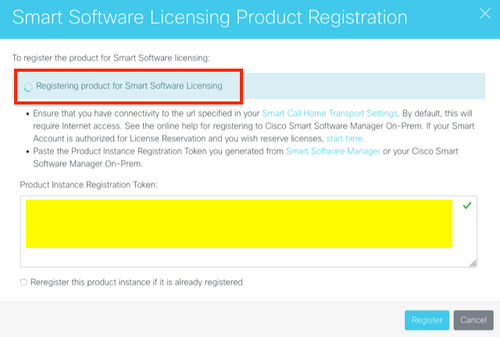
After contacting Cisco (thank you Karlo and Stu!) and revoke the registration token in the system. I deleted the VM, re-install, and tried to register again. It keeps on showing registering so I thought it was failing again:
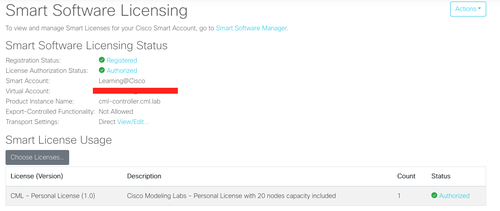
However, when I open another link, I was surprised to find the product was registered:
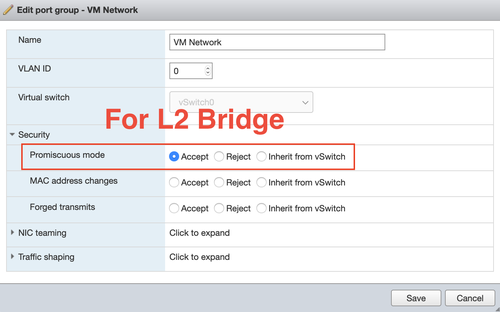
At this point, it was good to do. However, the L2 bridging was not working for me, a bit of a search turns out that I need to enable promiscuous mode for the VM Network the CML 2 was attached to:
I still have not tried the API, Python client, breakout, containers, or running third-party VMs. But so far I verified the two biggest factors for me, which was lower resource overhead and easier connectivity to external devices, so I am happy.
I hope this article is helpful for people wanting to run CML 2.0 on ESXi. Leave me a note on your experiences.
Happy Coding!
Eric